How to Use Paper Banana
Everything you need to turn methodology text, raw data, or rough sketches into polished academic figures — in about two minutes.
What is Paper Banana?
Paper Banana is an AI-powered academic figure generator built specifically for researchers, students, and academics who need publication-quality visuals.
Purpose-built for research papers — not generic AI art. Every output is designed to meet the visual standards of top venues like NeurIPS, ICML, and Nature.
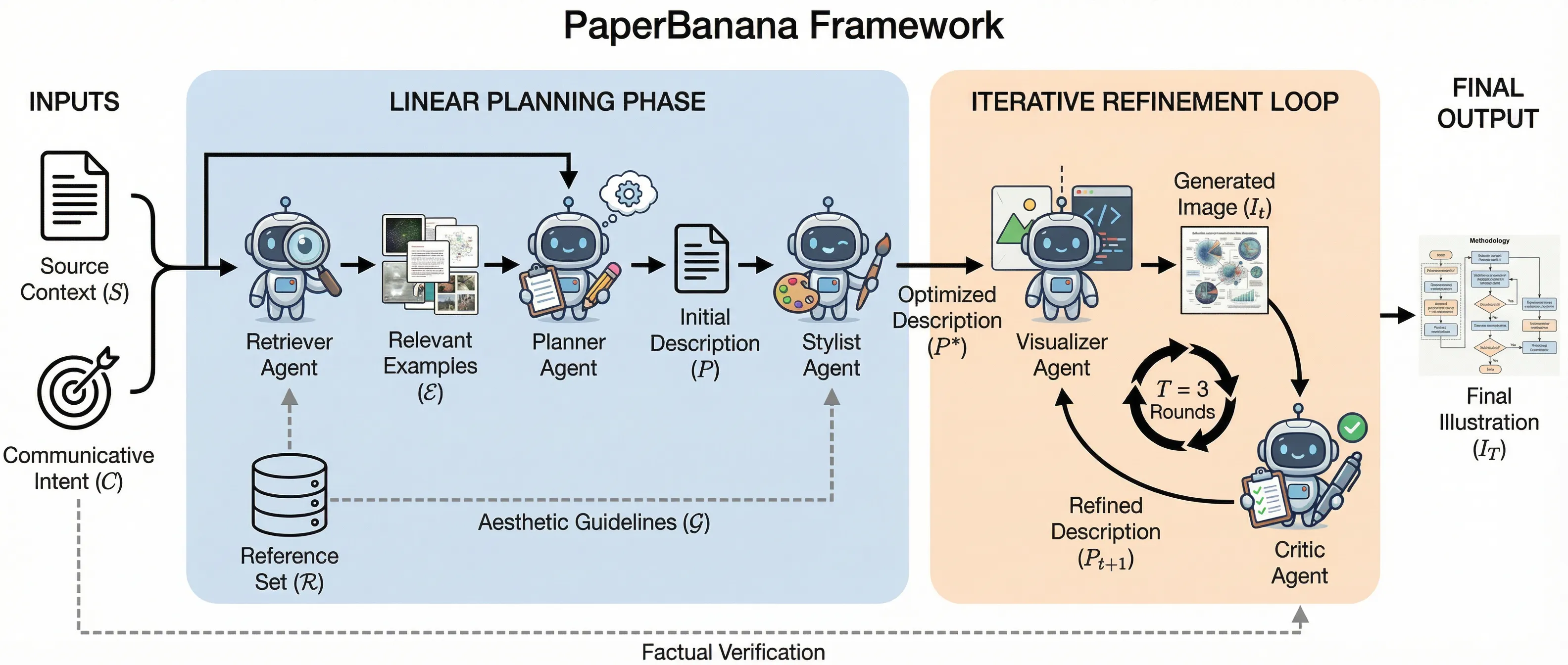
Five specialized AI agents collaborate on each figure: retrieving references, planning layout, styling elements, generating visuals, and critiquing the result.
What used to take hours of manual drawing in PowerPoint, Illustrator, or TikZ now takes a single prompt and about two minutes of processing.
Getting Started
Three steps to your first figure.
Sign Up with Google
Click "Sign In" in the top-right corner and authenticate with your Google account. You will receive free credits to start generating immediately.
Open the Generator
Navigate to the generator from the homepage or click "Create" in the navigation bar. The generation interface will load with all options visible.
Choose Your Figure Type
Select from five specialized workflows: Methodology Diagrams, Statistical Plots, Figure Cleanup, Teaching Visuals, or Venue-Aware Refinement.
Choose Your Figure Type
Each workflow is optimized for a different kind of academic visual. Pick the one that matches your need.
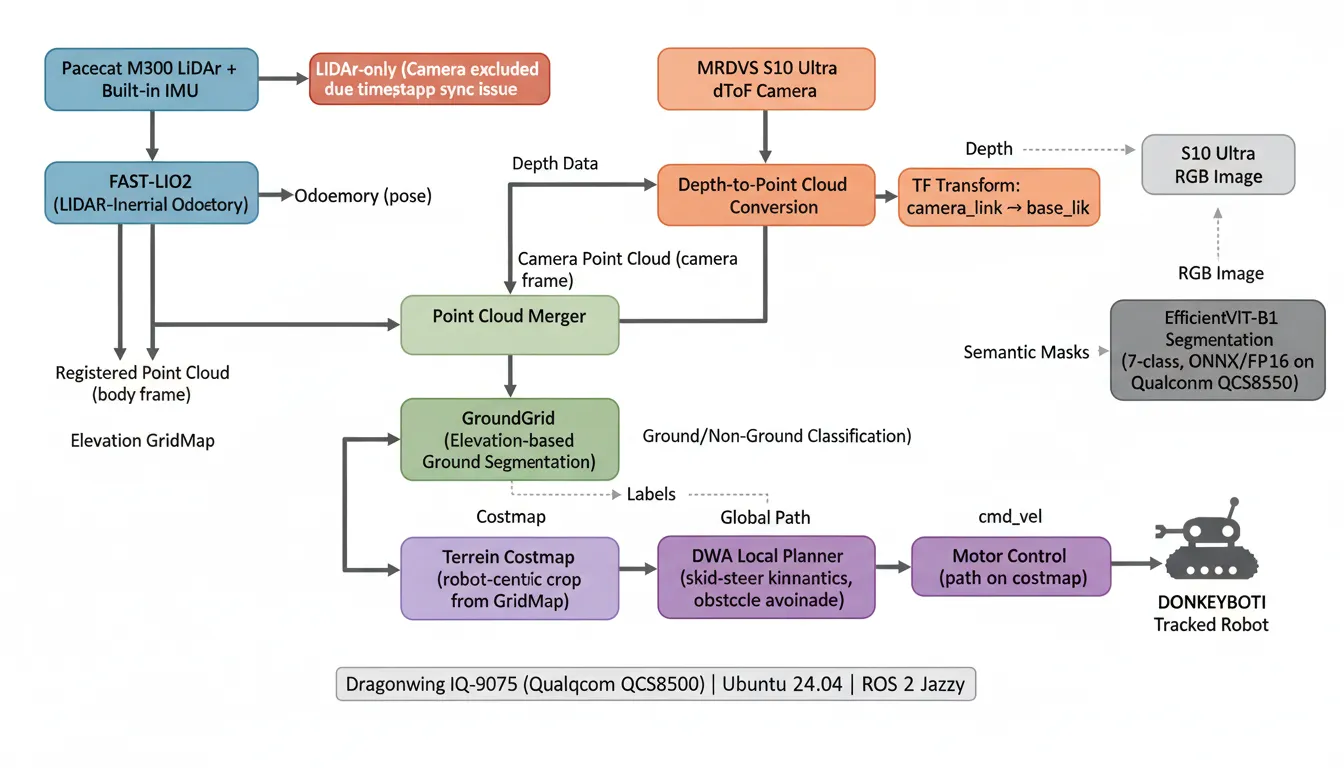
Methodology Diagrams
Architecture diagrams, pipelines, module interactions, and process overviews. Best when you need to explain how a system works.
Statistical Plots
Bar charts, line charts, scatter plots, heatmaps, and confusion matrices from structured data. Numbers-first figure generation.
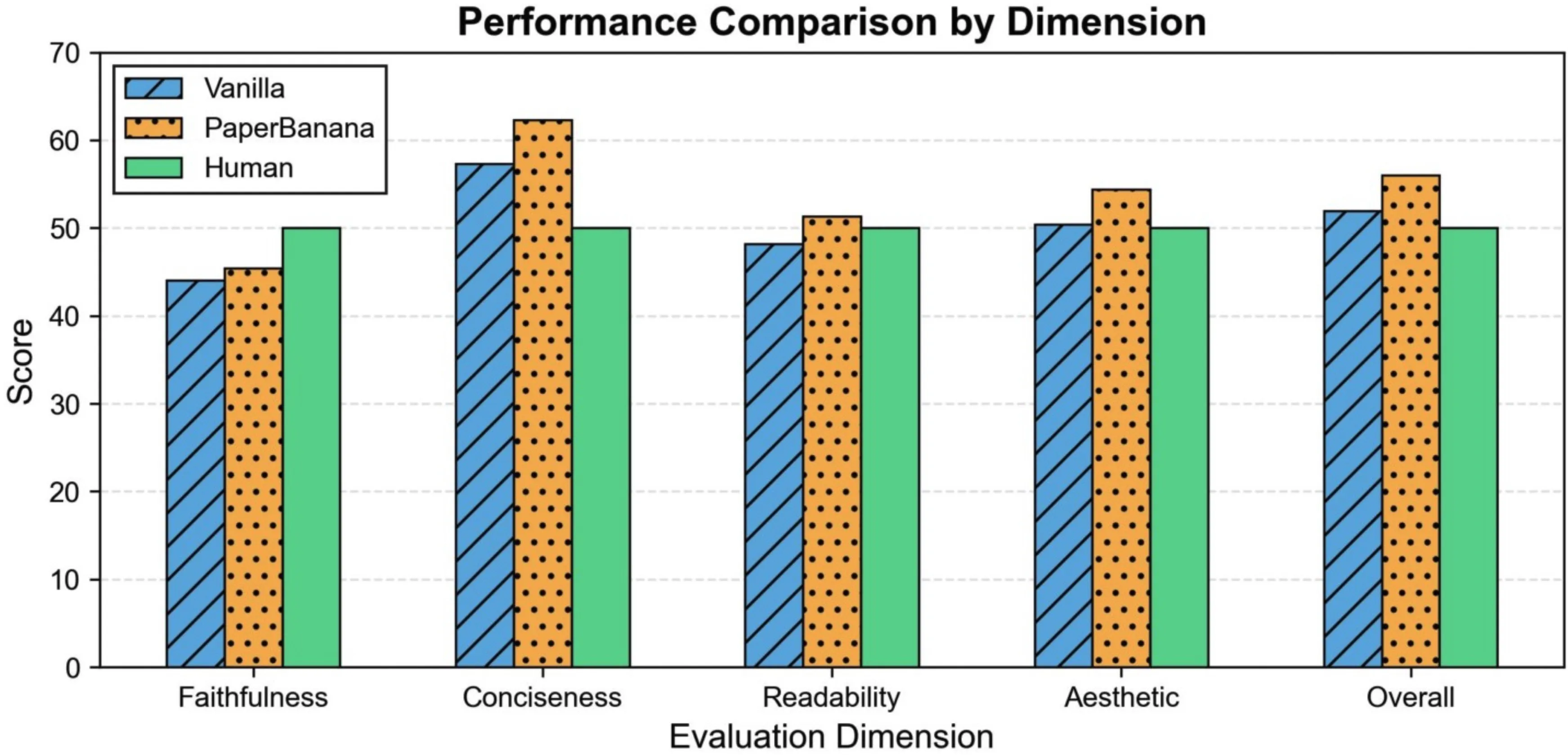
Figure Cleanup
Rebuild blurry, inconsistent, or slide-style visuals into paper-ready figures with clean lines and proper typography.
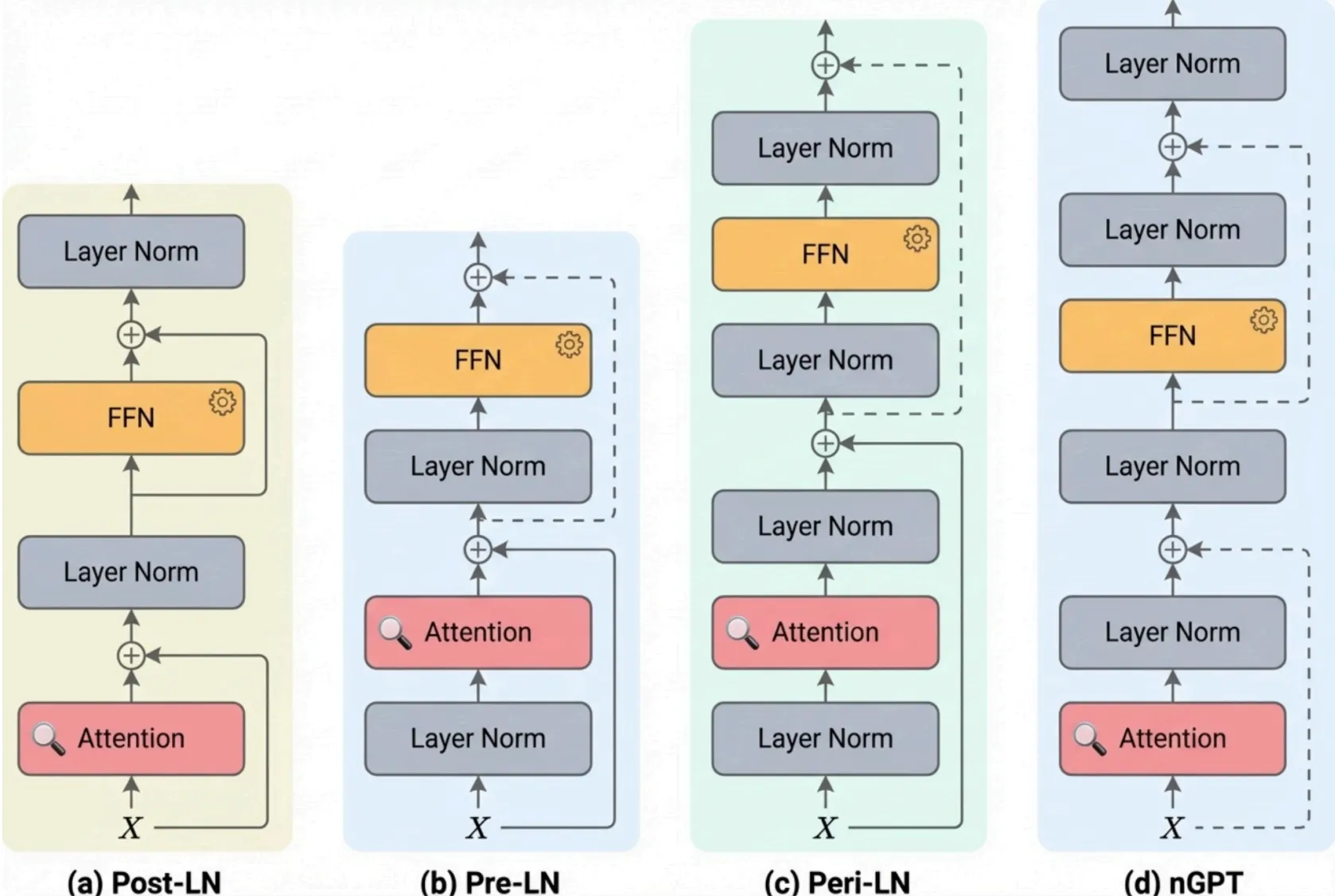
Teaching Visuals
Concept explainers, survey diagrams, and educational illustrations where clarity matters more than novelty.
Venue-Aware Refinement
Polish existing figures for specific venues — adjust color contrast, spacing, font scale, and visual balance for submission.
Step-by-Step: Generate Your First Figure
Walk through the full generation process from input to download.
Paste Your Content
Copy your methodology text, experimental data, or upload a rough sketch into the input area. The more context you provide, the better the output.
Describe What You Want
Use natural language to describe the figure you need. Be specific about what should be emphasized, which components to include, and the overall layout.
Set Your Parameters
Choose resolution (1K, 2K, or 4K), number of iterations (1–5), and optionally select a style preset. Higher iterations produce more refined results.
Wait for Generation
The 5-Agent pipeline processes your request in about 2 minutes. Watch the Pipeline Log in real time to see each agent's progress.
Download Your Figure
Once complete, download the high-resolution PNG. The figure is ready to drop directly into your LaTeX document, Word file, or presentation.
What Happens Behind the Scenes
Paper Banana uses a 5-Agent AI Pipeline where each agent handles a specialized task. This is not a single-prompt image generator — it is an orchestrated workflow.
Retriever
Searches relevant academic figure references and visual patterns to inform the generation.
Planner
Determines the optimal layout, component hierarchy, and information flow for your figure.
Stylist
Applies academic visual conventions — typography, color palettes, spacing, and element styling.
Visualizer
Renders the actual figure based on the plan and style specifications.
Critic
Evaluates the output against academic standards and triggers automatic refinement iterations until quality thresholds are met.
The Critic agent is what sets Paper Banana apart — it automatically iterates on the output until it meets publication standards, so you do not have to.
Tips for Better Results
Get the most out of Paper Banana with these practical suggestions.
Be Specific in Your Prompts
"Create a 3-layer neural network diagram with skip connections" will always outperform "make a nice diagram." Include component names, relationships, and emphasis.
Use Structured Data
For statistical plots, provide data in JSON or tabular format. Structured input produces more accurate charts than asking the AI to infer numbers from text.
Choose the Right Resolution
Use 1K for quick previews and iteration. Use 2K for most paper submissions. Reserve 4K for high-DPI posters and camera-ready final versions.
Trust the Default Iterations
3 iterations is the sweet spot for most figures. The Critic agent handles quality control automatically — more iterations are not always better.
Upload High-Quality Originals
When using Figure Cleanup, start with the highest-quality version of your original figure. Better input gives the AI more information to work with.
Credits & Pricing Quick Reference
Paper Banana uses a credit-based system. Here is a quick overview of how credits work.
| Action | Credits |
|---|---|
| Base generation (per iteration) | 5 credits |
| 1K resolution | No extra cost |
| 2K resolution | +5 credits |
| 4K resolution | +10 credits |
New accounts receive free credits to try Paper Banana before committing to a plan.
Ready to create your first publication-ready figure?
Join thousands of researchers who use Paper Banana to produce figures that match the quality of their research.